
If you are here to learn about how to play with your friends, you have come to the right place.
Let us explain the steps you need to do if you want to play with your friends.
First of all, you need to add your friends. (If you don't know how to add your friends, check this article.
First of all, you need to add your friends. (If you don't know how to add your friends, check this article.
You can create a lobby by tapping on Team Up icon on the main menu and invite your online friends.
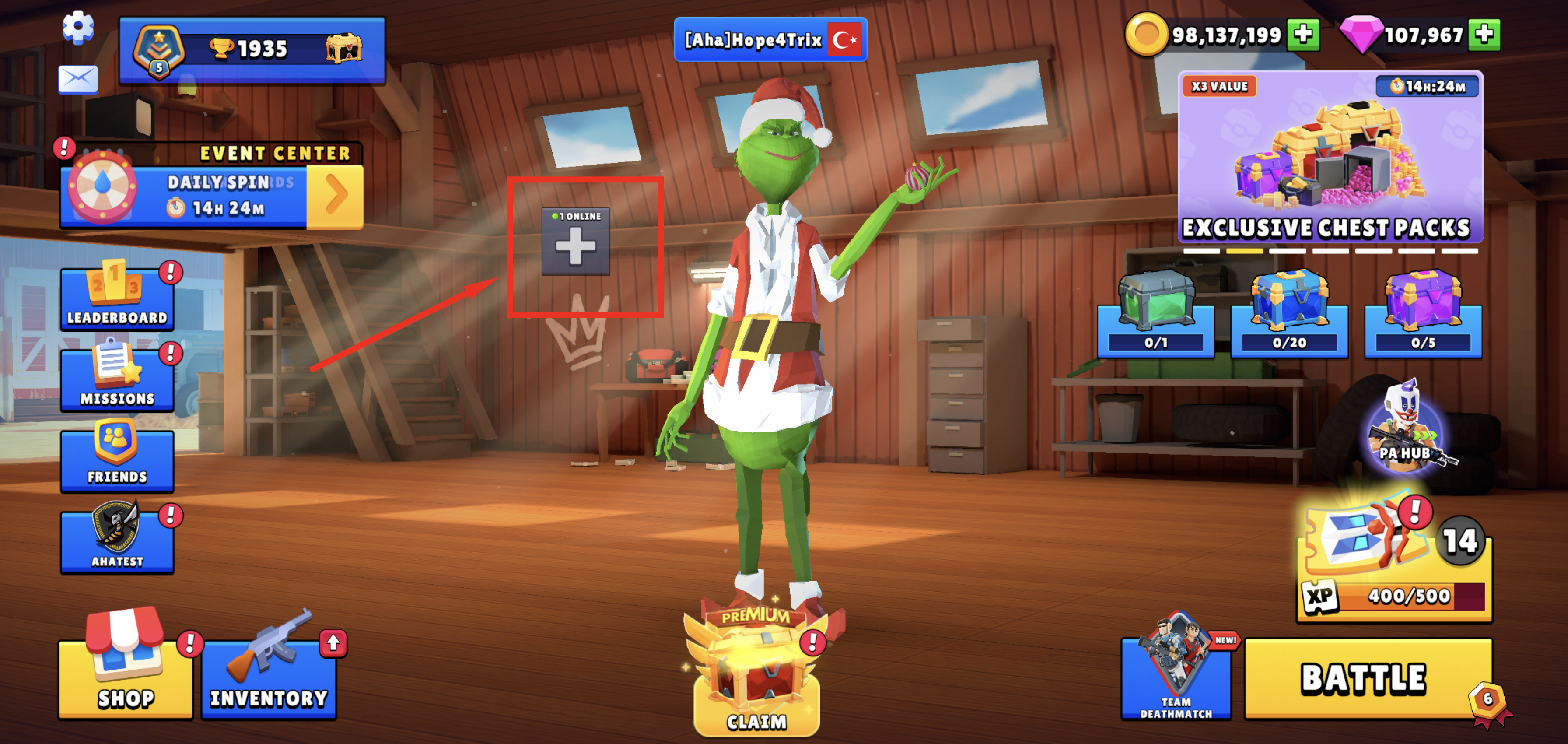
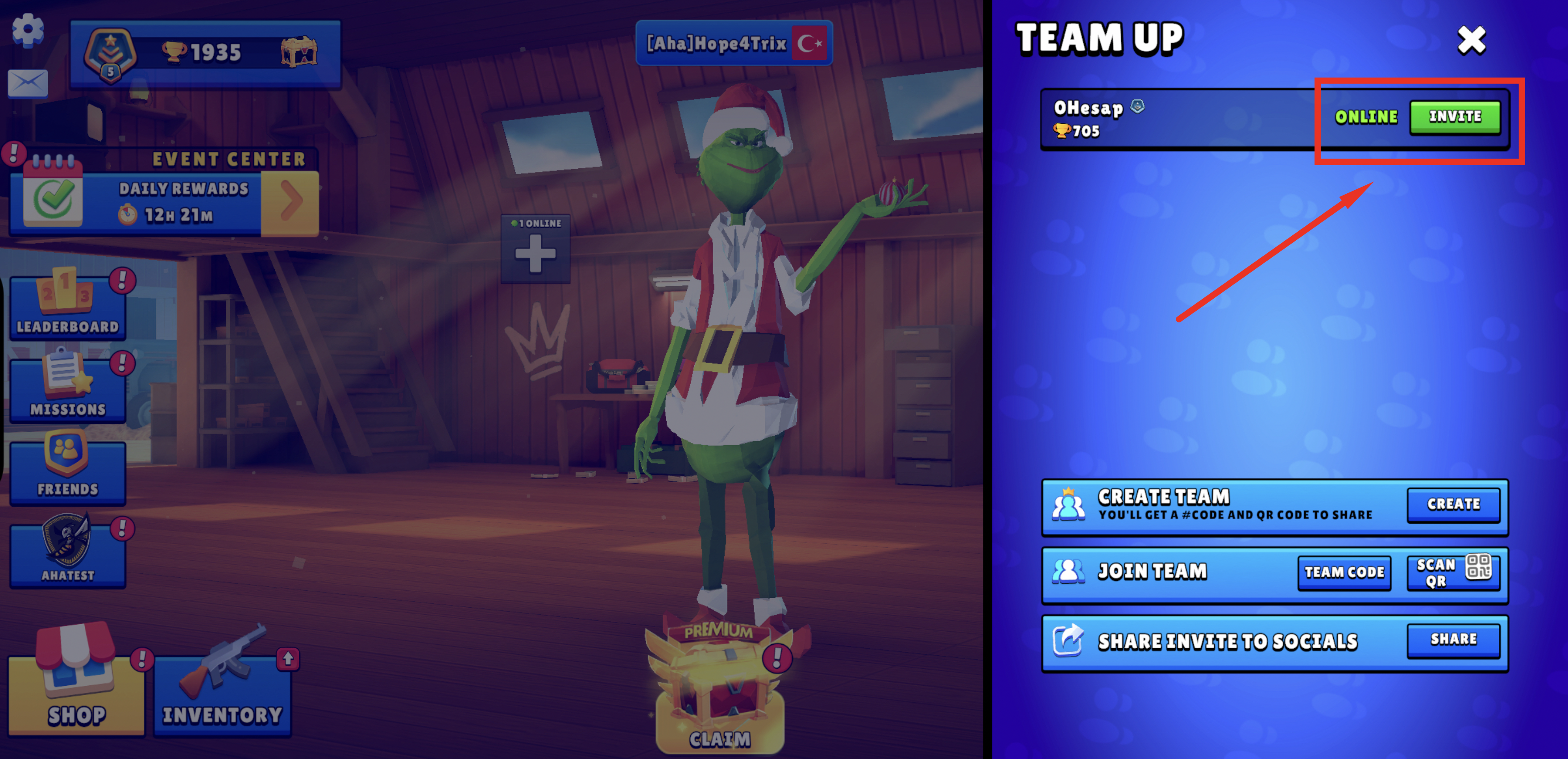
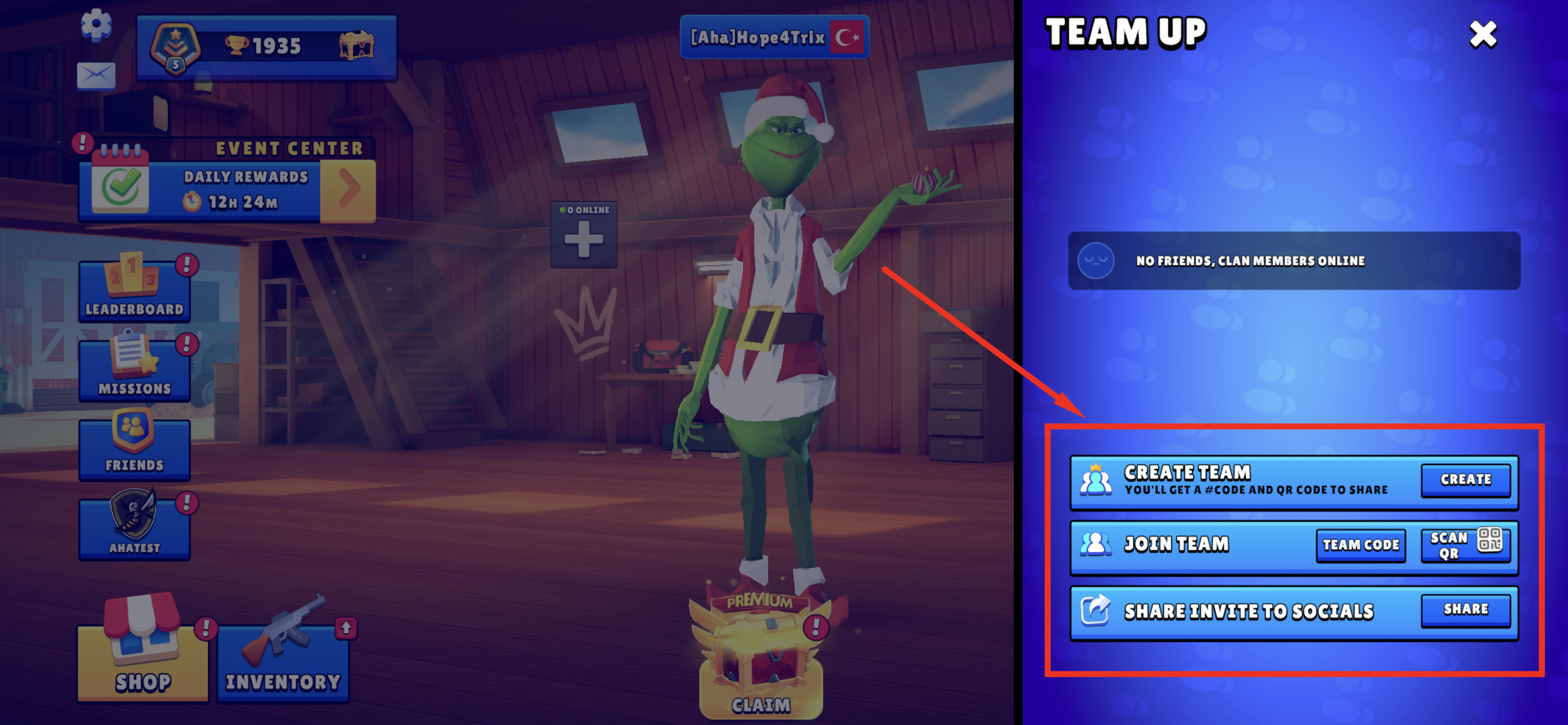
If you want to create or join a team, you can create or join one from the below section.
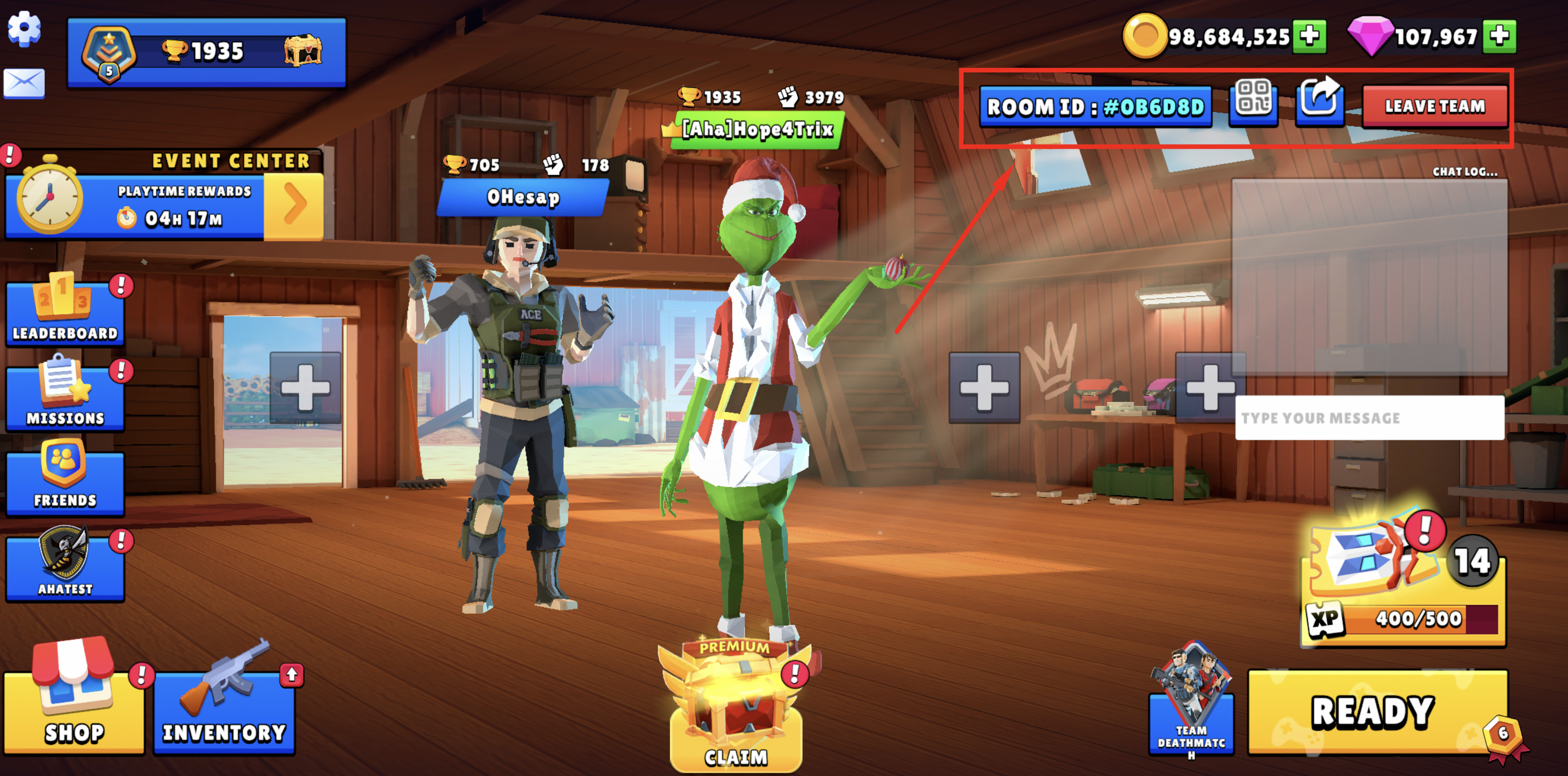
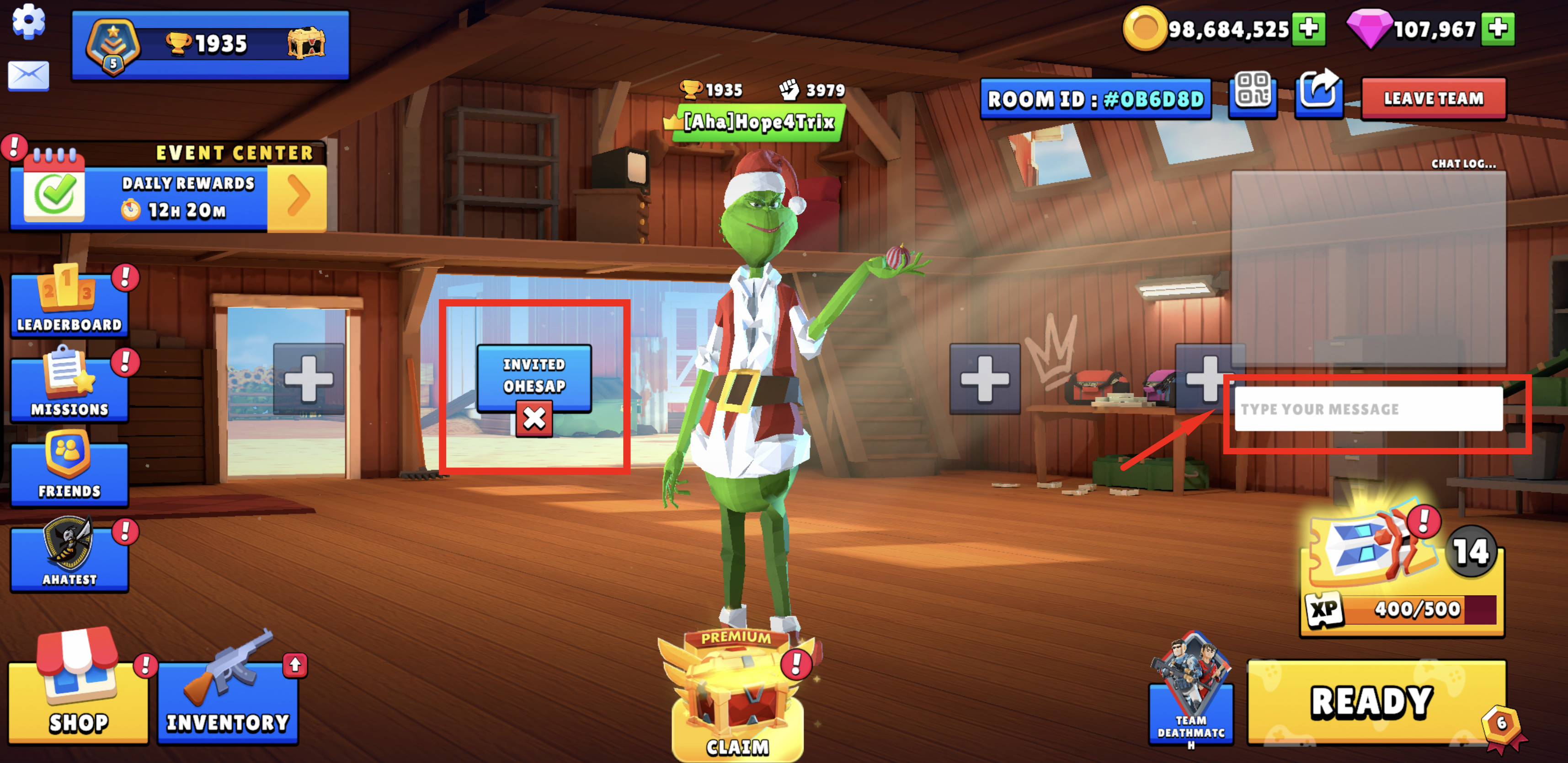
When you use either of the methods, you will be entering a lobby. When you create a team, you can share the Room ID or the room's QR code from the top right, or share the room with your friends via social media channels as a link.
After creating a team, when you send a request to an online friend, it will appear as ‘Invited’ on the screen.
The friend you have invited will receive an invitation pop-up.
You can also chat with your team via text using the chat box on the right! (Of course, they need to be in the room first!)
The friend you have invited will receive an invitation pop-up.
You can also chat with your team via text using the chat box on the right! (Of course, they need to be in the room first!)
When your friend accepts your team invitation, you will have to wait until you see his or her status as READY. Only then, you will be able to play together.
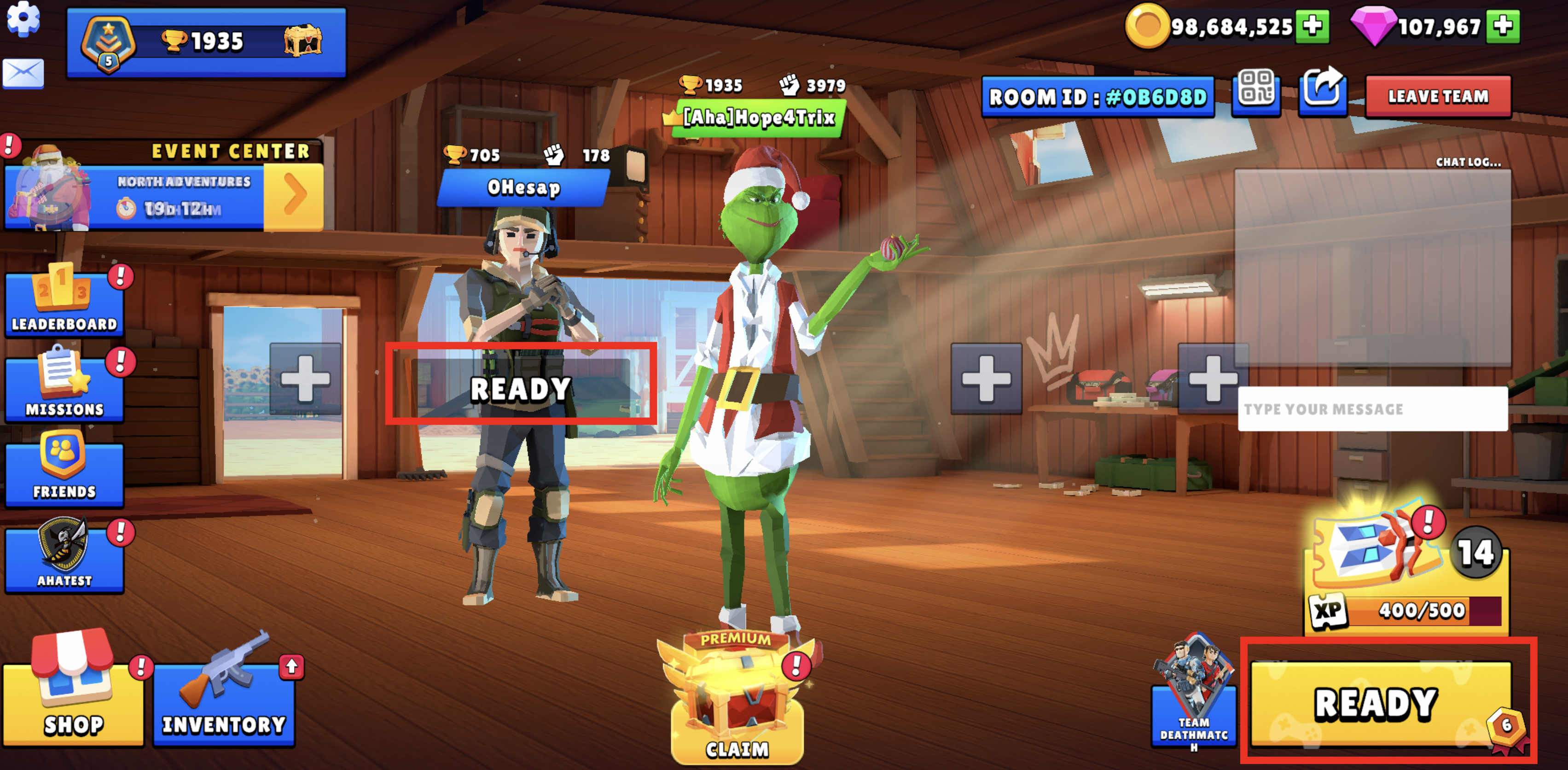
Great! You are all set. Now all you need to do is select your mode type from the bottom of the mode bar and tap on READY button to start your matchmaking.
NOTE: Even if your servers are different, you can play together in a lobby but it is likely that you might be facing with connection issues due to connection stability differences.
Remember, everything is better with your buddies! 💪
NOTE: Even if your servers are different, you can play together in a lobby but it is likely that you might be facing with connection issues due to connection stability differences.
Remember, everything is better with your buddies! 💪