
We have changed the whole friend system from a name-based one into an ID-based one.
In case you are struggling with the new system, you are at the right place!
Let us help you with the following steps about how to find your friend requests.
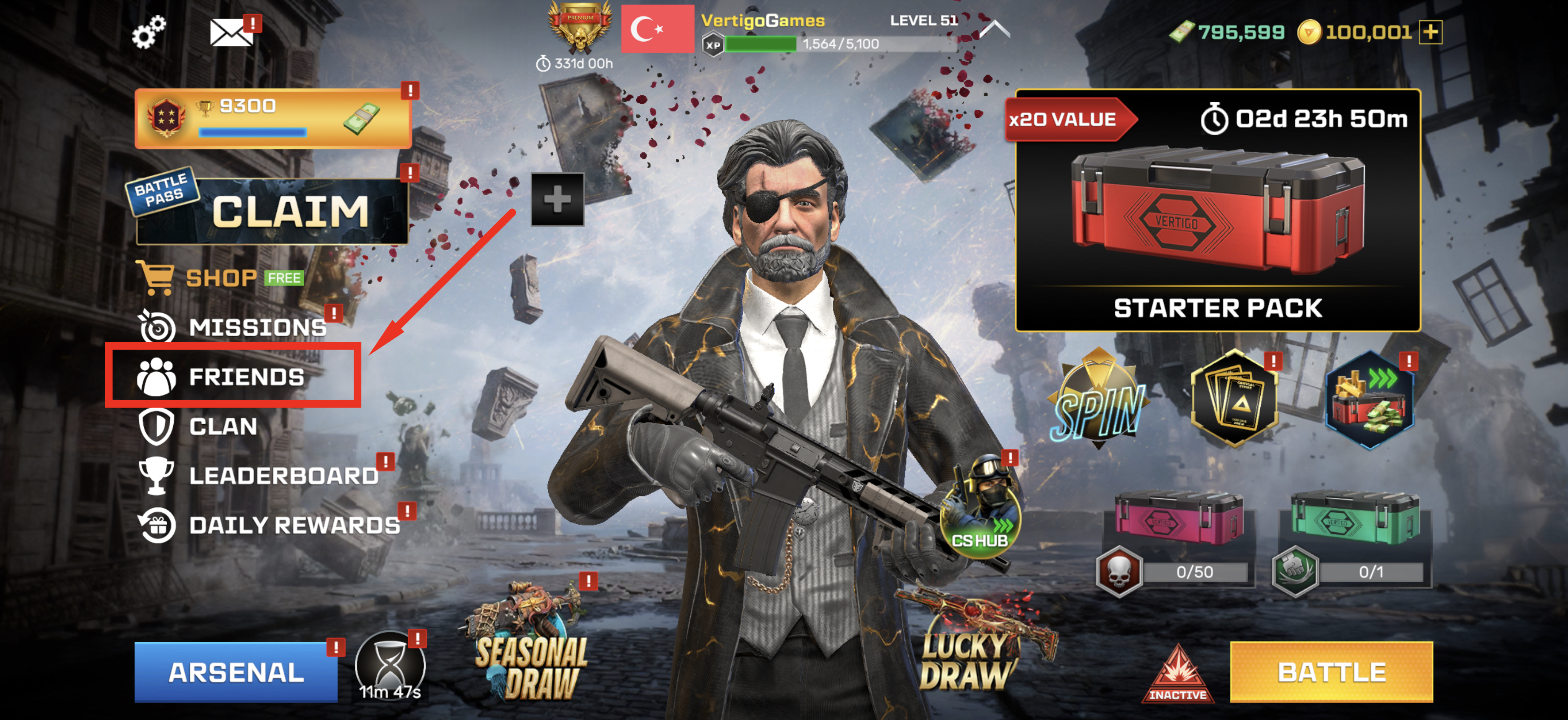
1. Go to FRIENDS section from your main menu.
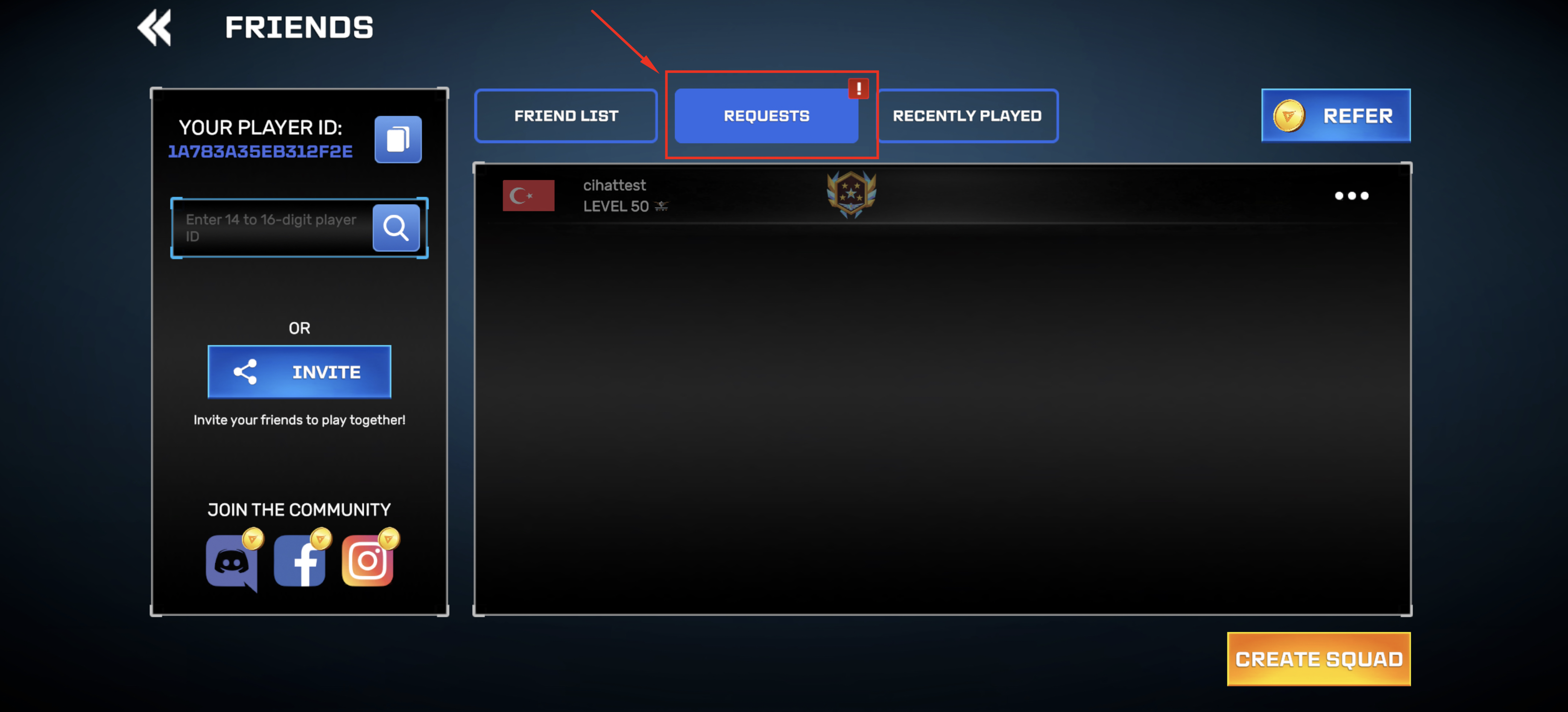
2. Go to REQUESTS tab from that section.
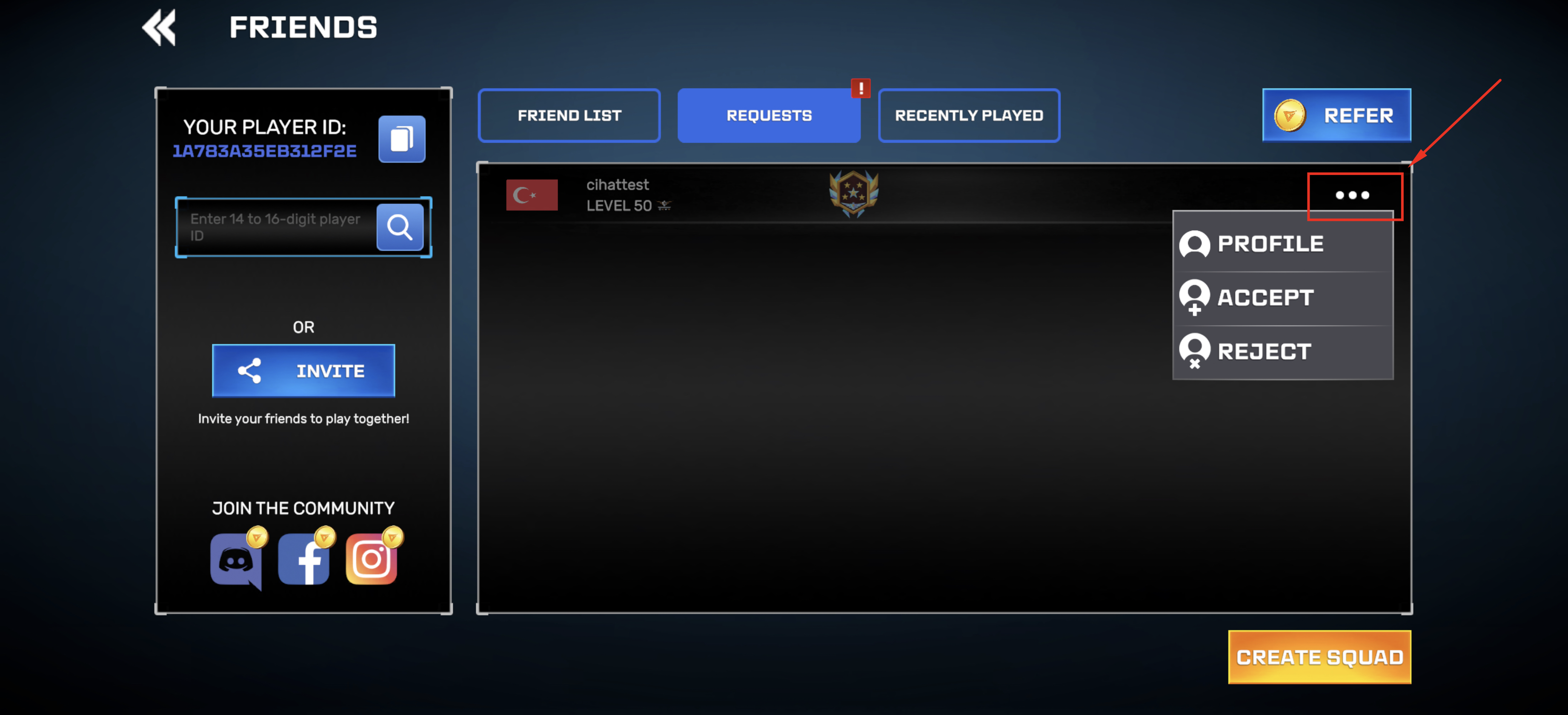
3. Tap on the OPTIONS button and you will be able to ACCEPT or REJECT the request. You can also check the PROFILE of player over there as well.
WARNING: You cannot add your friends by using their username. You have to use their 16 digit player ID.
If you want to learn more about how to add your friends., check this article
If you want to learn more about how to add your friends., check this article
Remember, everything is better with your buddies!